YouTube Downloader Pro - Seamless Video and Audio Downloads
Developer / April 25, 2025
YouTube Downloader Pro is a lightweight, powerful tool that allows users to download videos and audio from YouTube and other video sharing platforms. This application provides a simple way to save online content for offline viewing, built with modern web technologies for optimal performance.
API Integration
YouTube Downloader Pro offers three different extraction API versions:
- v1 API: Basic extraction suitable for standard videos
- v2 API: Enhanced extraction with improved format detection
- v3 API: Advanced extraction for maximum compatibility and access to all available formats
Users can select their preferred API version directly from the dropdown menu in the search interface.
Features
- Multi-platform Support: Download from YouTube and other video sharing platforms
- Multiple API Versions: Choose between v1, v2, and v3 extraction engines for optimal compatibility
- Comprehensive Format Options:
- Video with Audio: Download complete videos with sound in various qualities (144p to 1080p)
- Video Only: Download video tracks separately in multiple resolutions
- Audio Only: Extract audio tracks for music or podcasts
- Subtitles: Download caption files in multiple languages
- Quality Selection: Select your preferred resolution and quality (from 144p to 1080p)
- Multiple Format Support: Download in MP4 (H.264) or WebM (VP9) formats
- Simple Interface: User-friendly design for effortless downloads
- Fast Processing: Optimized for quick conversion and download speeds
- No Registration: Use immediately without creating an account
Interface Overview
Landing Page
The clean, intuitive search interface allows you to quickly paste video URLs and begin the download process:
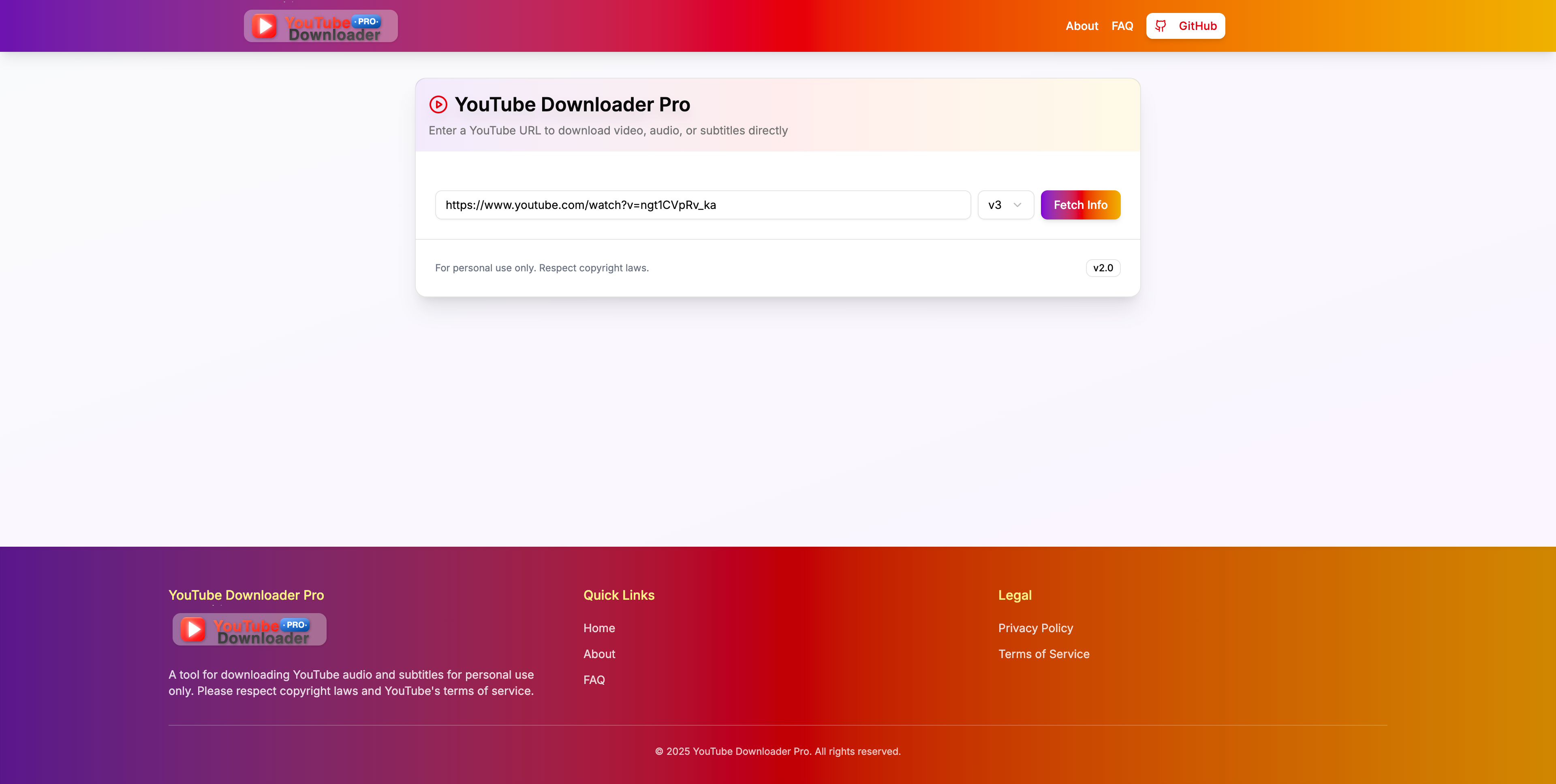
The search interface includes:
- URL input field for YouTube video links
- API version selector (v1, v2, v3) for different extraction methods
- "Fetch Info" button to retrieve video data
Download Options
After entering a URL, you'll be presented with various download options for your selected content:
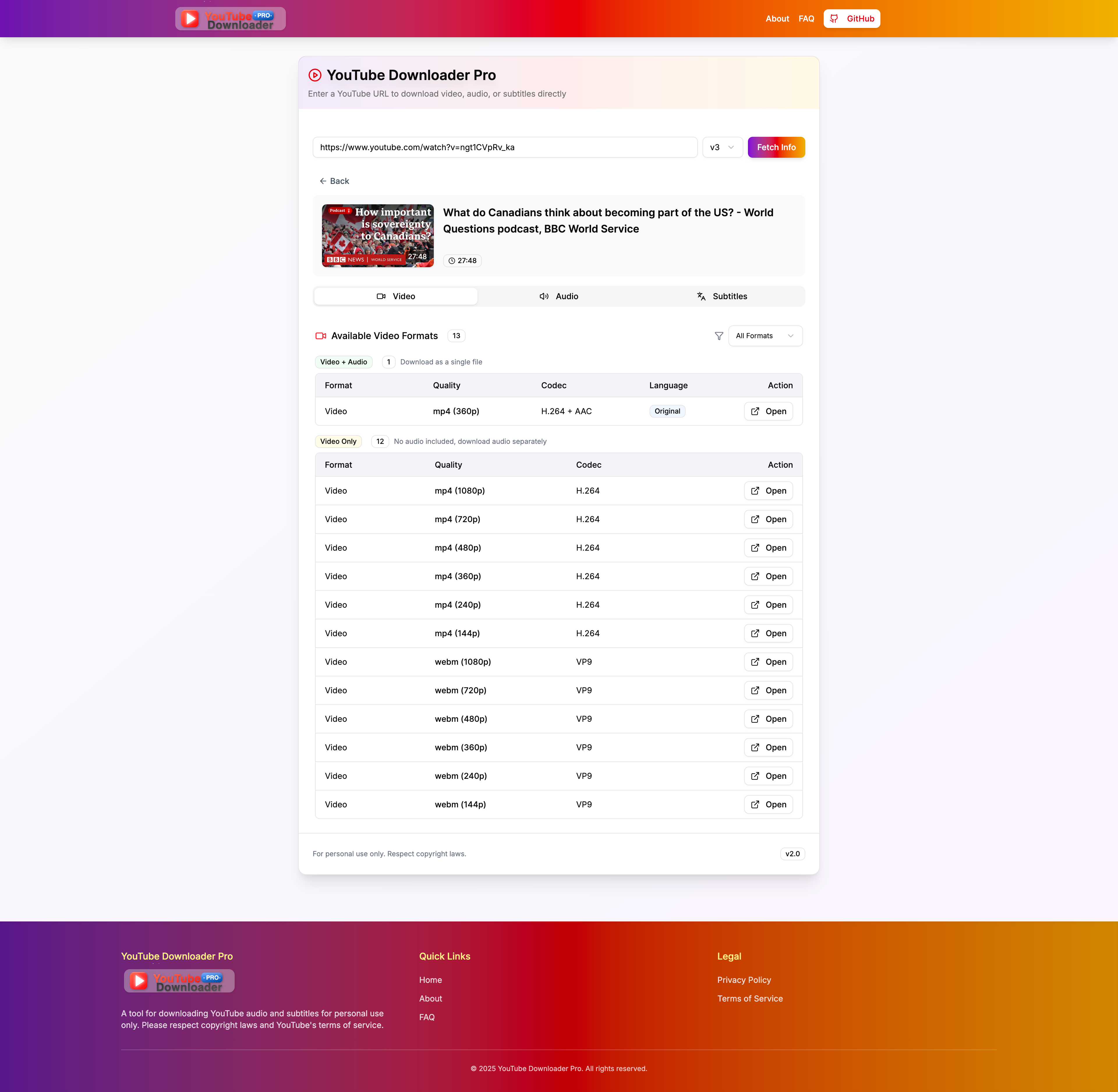
The download section offers:
- Combined Video+Audio: Download complete videos with synchronized audio
- Video Only: Multiple resolution options from 144p to 1080p in both MP4 (H.264) and WebM (VP9) formats
- Audio Only: Extract just the audio track for music, podcasts, or lectures
- Subtitles: Download caption files in various languages when available
Check out the live application at https://youtube-downloader-sooty.vercel.app and start downloading your favorite videos today!